B-1/E-23, Mohan Co-Operative Industrial Area, Mathura Road, Delhi-110044, India
- Digital Signature Software
- 03-Sep-2026
- -
- 0 Comments
My colleague signs everything with a typed name in a script font. Her business partner won’t do that — he draws his signature by hand every time, even on his phone, and it usually comes out looking like a seismograph reading during an earthquake. Neither one is doing it wrong. That’s kind of the whole point here: there’s no single correct electronic signature style. There’s just the style that fits you, and the document in front of you.
If you’ve ever opened up an eSignature software tool and just stared at the signing options, not sure which one to click, keep reading.
Why Electronic Signature Styles Still Matter
Handwriting used to tell you something about a person — a flourish here, a rushed scrawl there. Graphologists have made a whole field out of claiming that slant and size reveal personality. None of that really holds up under scrutiny, to be honest. But the underlying instinct isn’t crazy. People still care what their signature looks like, even when it’s rendered in pixels instead of ink.
Decent digital signature software gets this. It’s not only about capturing a “yes, I agree” — it’s about letting the signing feel like it’s actually coming from you.
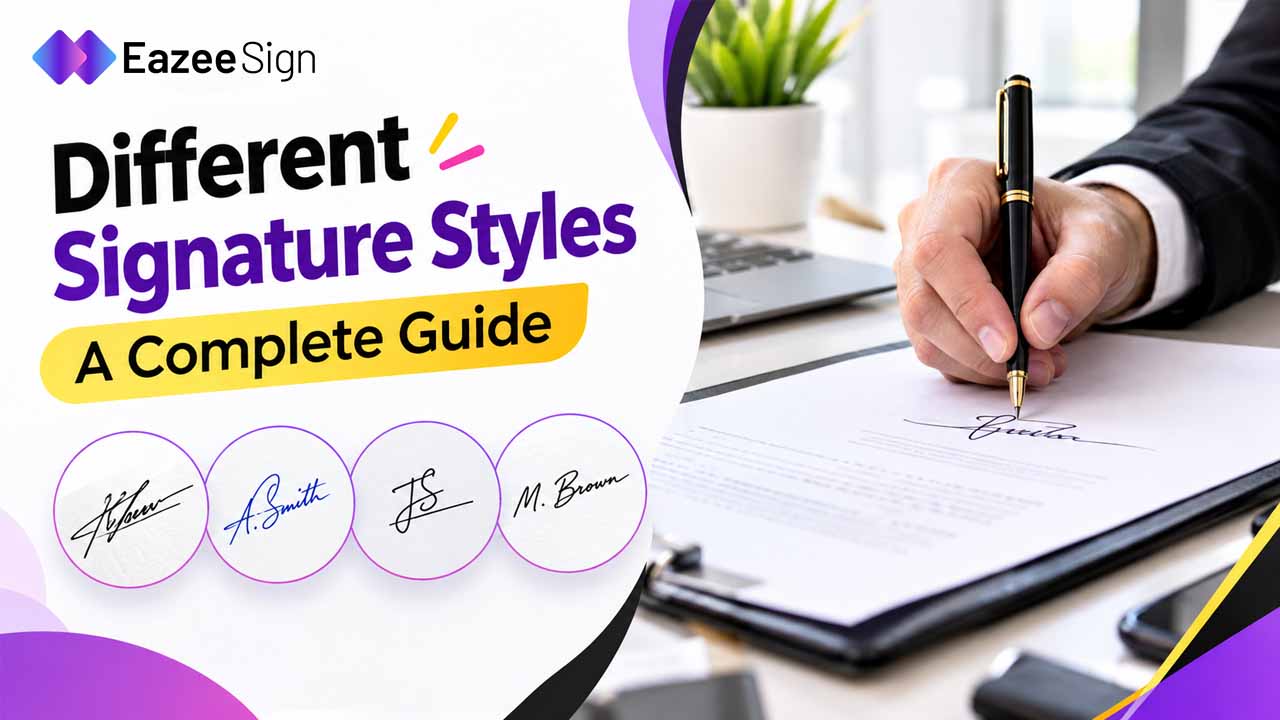
The Main Types of Electronic Signature Styles
Most eSign software sorts signing options into a few buckets. Here’s roughly how they shake out.
Typed Signatures
This is the go-to if you’re signing a stack of documents in one sitting and don’t want friction. Internal approvals. Quick acknowledgments. Routine vendor sign-offs. A typed signature is plenty for all of it.
Fastest option, and probably the one most people default to for routine stuff. Type your name, pick a script-style font, done. Some tools let you tweak size or color, or bolt on a small flourish so it doesn’t look quite so much like a form field.
Drawn Signatures
This gets closest to actually signing something with a pen. You use a mouse, trackpad, or touchscreen to sketch your name. On a laptop trackpad it usually looks rough — mine certainly does. On a phone or tablet with a stylus, though, it can come surprisingly close to your real signature.
People who want their digital signature to visually match what’s on their ID tend to gravitate here. Makes sense for legal filings or anything identity-sensitive, where visual consistency actually carries some weight.
Uploaded Signatures
Sign a piece of paper once, scan it, upload the image. Now you’ve got a signature that’s identical every single time, no redrawing required. It’s a decent middle ground if you want the authenticity of your actual signature without drawing it fresh on every document.
Certificate-Based Digital Signatures
Here’s where “style” starts blending into security. A certificate-based signature isn’t really about appearance at all — it’s backed by encryption and tied to a verified identity through a digital certificate. You’ll see these in industries with heavier compliance requirements. They usually come with tamper-evident seals and an audit trail showing who signed what, and when.
Visually, this might look no different from a typed or drawn signature. The real difference sits underneath, in the cryptography confirming it’s actually you.
Matching a Style to How You Actually Work
There’s no strict rulebook, but a few patterns show up often enough to be worth mentioning.
Bold, no-nonsense signers usually go typed — clean, no flourish, nothing extra. People who like fine-tuning things tend to prefer drawn signatures, since you can redraw until it feels right. Anyone pushing high volumes of paperwork through daily leans typed almost automatically, purely because it’s faster. And if you’re in a regulated field — finance, healthcare, law — personal style honestly matters less than picking whichever signature type actually satisfies your compliance obligations.
That last bit trips people up more than it should. A signature can look elegant and still mean nothing if it gets challenged and there’s no verification standing behind it.
Style Is Not the Same Thing as Security
Worth untangling two questions people tend to mash together: what does my signature look like, versus how secure is my signature. Solid digital signature software lets you control these separately.
A typed signature can sit behind exactly the same identity verification as a drawn one. Visual style is about personal expression, maybe brand consistency if you’re signing on behalf of a company. Security — encryption, audit trails, identity checks — is what actually decides whether the thing holds up if someone challenges it later.
A lot of cheaper tools skip this part. You get a nice-looking signature and nothing behind it. Better eSign software gives you both at once: signing that feels personal, plus a verification layer doing the real work in the background.
What Else to Look For in eSignature Software
Picking a platform on signature style alone only solves half the problem. A few other things worth checking:
Multiple signing styles — typed, drawn, uploaded — so different people on your team can use whatever feels natural. Consistent storage, so your chosen style just applies automatically instead of being redone each time. Encryption and audit trails running quietly in the background no matter which style gets used. Compliance coverage for wherever you’re doing business — ESIGN Act and UETA in the US, eIDAS if you’re dealing with the EU. And mobile-friendly signing, since more of this happens on phones now than on desktops.
EazeeSign handles all of it from one dashboard — typed, drawn, and uploaded options for everyday flexibility, plus encryption, audit trails, and identity verification layered on for documents that need more than just a good-looking mark. SOC 2 and ISO 27001 certification back it up too, so the security claims aren’t just something on a features page — they’ve actually been checked.
Final Thoughts
Your signature style says more than people give it credit for — how you work, how much time you’re willing to spend, how much the details matter to you. Pick whatever feels like you, whether that’s a fast typed name or a carefully drawn scrawl. Just make sure whatever eSign app you’re using is handling the heavier lifting underneath: the encryption, the verification, the record that actually holds up if anyone ever asks who signed.
Frequently Asked Questions
What are the main electronic signature styles?
Typed, drawn, uploaded (scanned), and certificate-based — these four cover most of what eSignature software offers today.
Does the style I choose affect legal validity?
Not directly. Legal weight comes from the verification and audit trail behind the signature, not how it looks. A typed signature backed by strong verification is just as binding as a drawn one.
Which style works best for signing a lot of documents?
Typed, generally. It’s faster than drawing or uploading each time, and speed matters more than visual flair when volume is high.
Can I switch signature styles between documents?
Yes — most digital signature software lets you save several styles and pick whichever fits the document.
Is a drawn signature more secure than a typed one?
No. Security comes from encryption, identity checks, and audit trails — not from how the signature looks. A drawn signature isn’t inherently safer unless the software behind it adds that verification layer.