B-1/E-23, Mohan Co-Operative Industrial Area, Mathura Road, Delhi-110044, India
- Digital Sign Apps
- 09-Sep-2026
- -
- 0 Comments
Ask anyone in HR how many times they have built the same offer letter this quarter and you will probably get a tired laugh instead of a number. Same fields, same signature blocks, same NDA clause pasted in at the bottom — over and over, for every new hire. It is the kind of repetitive setup that eats an afternoon without anyone quite noticing where the time went.
This is exactly the gap electronic signature software templates are meant to close. But not all templates work the same way and that difference matters more than most teams realize until they hit it.
The Real Problem With Repetitive Document Preparation
Most document signing software gets you halfway there. You upload a document, drop in signature fields, assign signers, send it off. Then next week, same document, same fields, same signers — except you’re doing the entire setup again from scratch.
Multiply that across HR, sales, procurement and legal and you have got teams burning hours on setup work that adds zero actual value. Worse, when fields get placed manually every time, mistakes creep in. A signature block lands in the wrong spot. A checkbox goes missing. Formatting drifts between one version of a contract and the next. Eventually nobody’s fully sure which version of the offer letter or vendor agreement is actually the current one.
That’s three separate problems stacked on top of each other: repetitive manual setup, inconsistent field placement and version confusion. Good electronic signature software should solve all three at once, not just make the signing part faster.
Where Most eSignature Templates Fall Short
Here’s the part that catches people off guard. A lot of eSignature templates on the market are locked. Once you build the template, the document content is basically frozen. Need to tweak a clause, update a date format, or adjust the wording in a Term & Conditions section? You’re often stuck rebuilding the whole thing from the ground up, which defeats half the point of having a template at all.
That’s a real limitation and it’s the reason a lot of teams end up with a messy in between workflow half template, half manual document, because rigid templates couldn’t flex with how their business actually documents things day to day.
Build Once, Sign Forever
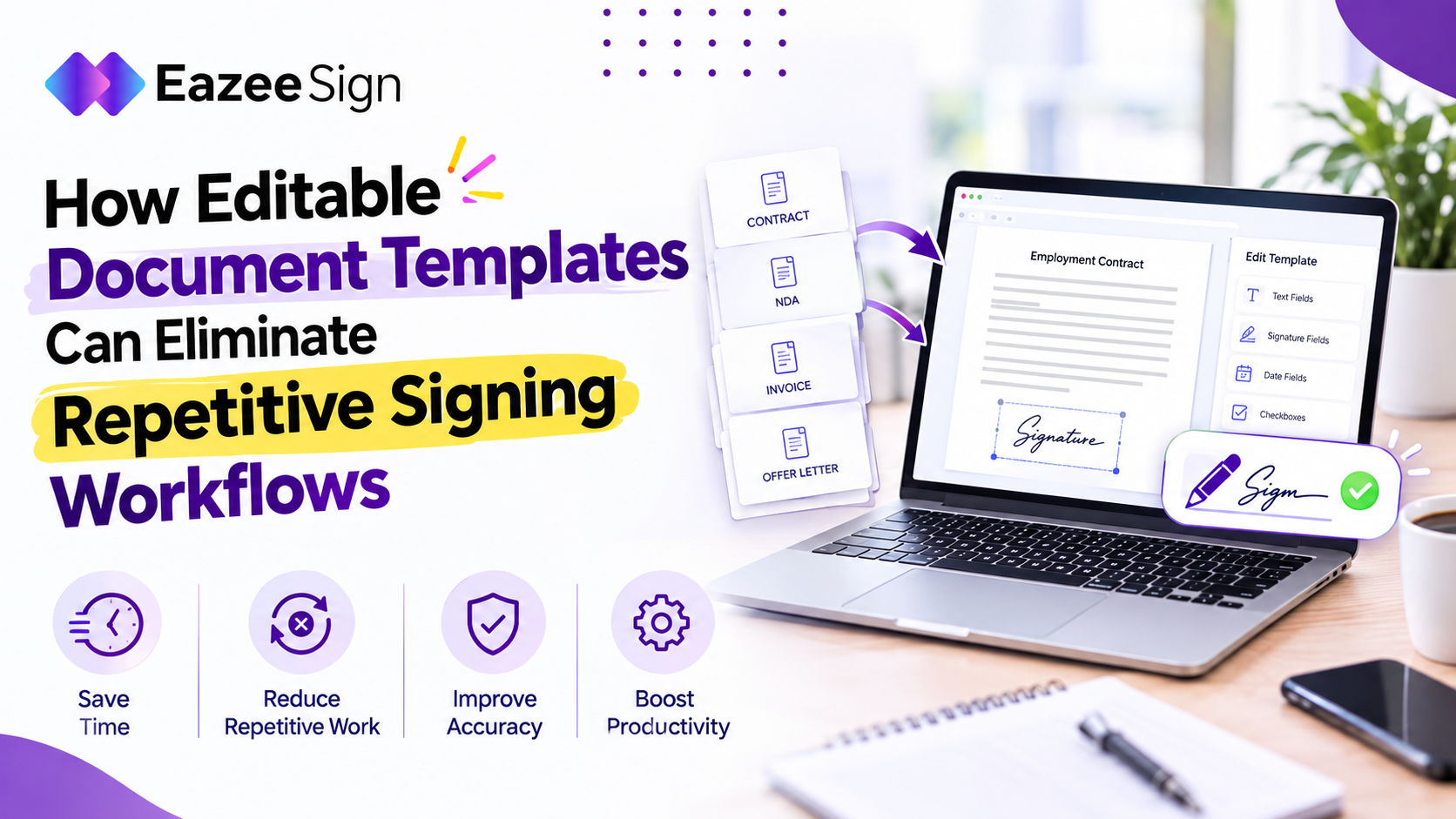
This is where EazeeSign takes a different approach. Templates built in EazeeSign aren’t frozen the moment they’re saved, they stay editable, even when they’re built directly from your existing Word documents.
Say you save an Offer Letter as a template. Later, you need to change the compensation figure, tweak a clause, or swap out a manager’s name for a specific hire. With EazeeSign, you just edit it. Names, dates, terms, clauses, other content — all adjustable, without tearing the template apart and starting over.
That’s the core differentiator and it’s worth saying plainly: templates that don’t lock you in. Most rigid template systems force you to choose between speed and flexibility. EazeeSign doesn’t ask you to pick one.
How the Workflow Actually Works
The structure is simple enough to describe in one line: create, save, edit, send, sign, reuse.
You build a master template once — an NDA, a vendor contract, a purchase order, whatever your team sends most often. That template holds onto its predefined fields: signature blocks, date fields, text inputs, checkboxes, whatever the document needs. Every time that document goes out again, those fields are already sitting exactly where they should be. No re-placing, no double-checking that the signature block didn’t accidentally shift two lines down.
Templates can also carry predefined signer roles, which matters more than it sounds like at first. An HR template might route through Employee then Manager. A vendor agreement might go Company then Vendor. Whatever the sequence, it’s built into the template once, so nobody has to remember or reconfigure the signing order for every single document.
And because these templates stay editable, none of this locks you into a rigid structure. Business terms change, roles shift, clauses get updated — the template adapts instead of becoming obsolete the moment something in the document needs to change.
Centralized Templates, Fewer Version Headaches
Beyond individual templates, EazeeSign gives teams a single dashboard to manage all of it — view, organize, edit and delete templates from one place instead of hunting through folders or old email threads trying to find “the current version” of a contract.
That centralization solves the version control problem directly. Instead of five slightly different copies of the same vendor agreement floating around different inboxes, there’s one template, one source of truth, updated in place whenever something changes.
Why This Matters Beyond Convenience
It’s tempting to file all this under “nice to have,” but the actual business impact runs deeper than saved time, though that alone is significant.
Faster document preparation is the obvious win, recurring documents go out in a fraction of the time because the structure and fields are already sitting there ready. Less repetitive work means teams are not rebuilding the same signing workflow week after week. Predefined fields cut down on manual errors, so signature blocks and required fields are not randomly missing or misplaced. And centralized management gives teams actual governance over their most-used documents, instead of scattered versions with no clear owner.
For teams sending high volumes of similar documents, new hire paperwork, recurring vendor contracts, standard sales agreements — this scales in a way ad-hoc document prep never really can.
Who Actually Uses Templates in eSignature Software
Editable templates aren’t a niche feature for one department. HR teams lean on them for offer letters, onboarding paperwork and non-compete agreements. Legal and operations teams use them for NDAs, vendor contracts and service level agreements. Procurement and finance teams standardize purchase orders, statements of work and invoices. Sales teams use the same approach for client contracts and sales agreements that go out on repeat.
Real estate businesses, education institutions, growing SMBs and larger enterprises handling recurring paperwork all run into the same underlying problem — the same document, prepared over & over and the same fix applies regardless of industry.
Choosing Electronic Signature Software That Actually Fits How You Work
If you’re evaluating digital signature software or eSignature software for your team, templates are worth scrutinizing closely rather than treated as a checkbox feature. Ask whether the template locks the document content in place, or whether it stays editable when your business needs inevitably change. Ask whether fields and signer roles are configurable without a full rebuild. Ask whether there’s a centralized place to manage everything, or whether you’ll be back to hunting through folders within a few months.
EazeeSign was built around answering “yes” to all of that — reusable, editable templates that hold onto predefined fields and signer roles, managed from one dashboard, without forcing you to choose between speed and flexibility.
Conclusion
Repetitive document prep is a solvable problem, not just an accepted cost of doing business. The right electronic signature templates, powered by an Electronic signature application, don’t just speed up signing, they eliminate the setup work entirely for anything you send more than once, while still letting you edit the details that change every time.
Build once. Edit when needed. Reuse whenever you need. That’s the whole idea and it is a lot simpler in practice than most rigid template systems make it feel.