B-1/E-23, Mohan Co-Operative Industrial Area, Mathura Road, Delhi-110044, India
- Electronic Signature
- 12-May-2026
- -
- 0 Comments
Signing documents is still part of daily work, that hasn’t changed. What has changed is how we deal with signatures now.
Earlier, the process was like you had to print the document, sign it, scan it and send it back. It worked fine, even though this traditional process is still in existence in some places, but it also took time, and honestly nowadays, not everyone wants to go through that every single time a document needs approval.
So naturally, people started looking for faster options. That’s why searches on the internet like how to scan signature or even how to scan signature in phone have become so common. It is fast, more practical, and does not need to have a printer or scanner nearby.
In most cases, a simple signature scanner on your phone does the job. No setup, no extra tools. Just capture the signature cleanly and use it where needed.
At the same time, there’s a shift happening quietly. Instead of scanning again and again, people are slowly moving toward electronic signature software. It just removes a few extra steps.
But before going there, the basics matter.
What Does It Mean to Scan a Signature?
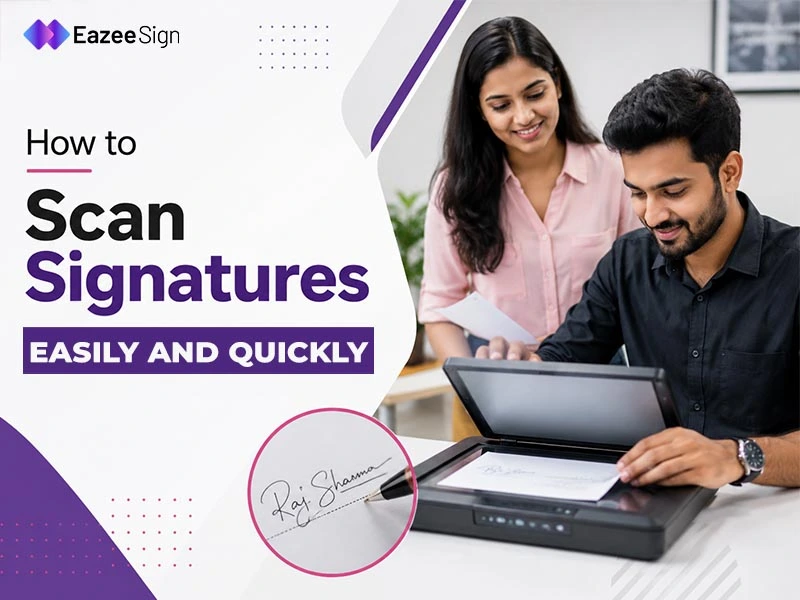
It’s actually quite simple like you sign on paper, then you convert that signature into a digital image using your phone or a scanner. That image can then be added to documents like PDFs, contracts, or forms.
Sounds obvious, but this is where confusion starts.
A scanned signature is not the same as an electronic signature. It’s just an image. Nothing more. There’s no built-in verification, no tracking, no security layer attached to it.
For basic use, that’s fine. Most people use it like this only, but when documents become more formal or sensitive, this method may not be enough. That’s why businesses often prefer more secure alternatives.
Still, for everyday tasks, knowing how to scan signature in phone is usually all you need.
When Do You Need to Scan a Signature?
Not everything needs a full digital setup. Sometimes simple works better.
People usually search for how to scan signature when they just want to sign and send something quickly. No delays, no complicated process. Just get it done.
You’ll see this in common situations like:
- Sending a signed PDF over email
- Freelance or client agreements
- HR forms or onboarding documents
- Internal approvals
- Basic consent forms
Nothing too complex here.
In these cases, using a signature scanner or your phone is more than enough. It saves time and avoids unnecessary effort.
Most of the time, it comes down to urgency. You need to sign something now, not after setting up devices or tools.
That’s why phone-based methods are becoming the default.
Different Ways to Scan Electronic Signatures
There’s no single method. People use whatever feels easiest. Right now, the most common option is using a phone. Once you know how to scan a signature on your phone using an eSign App, you don’t really need anything else. Just write your signature, take a photo, crop it, and it’s ready.
Some still prefer traditional scanners. They give cleaner results, no doubt. But they’re not always practical unless you already have one nearby.
Then there are online tools. Upload your signature image, place it inside the document, and you’re done. It’s quicker than doing everything manually.
And slowly, many users move one step ahead. Instead of scanning, they switch to electronic signature online tools that remove the need for scanning completely.
Still, for most people, scanning is where it starts.
How to Scan Signature in Phone Step-by-Step Process
This is the method most people use.
Because it’s simple and works almost anywhere.
If you’re trying to figure out how to scan signature in phone, you don’t need anything complicated. Just follow a basic flow:
- Write your signature clearly
Use a white paper and a dark pen. Keep it clean. Avoid thin or faded ink because it won’t scan properly. - Take a photo using your phone
Open your camera or any signature scanner app. Make sure there’s good lighting. Shadows can mess up the final image. - Crop the image properly
Cut out extra space around the signature. Keep only the part you need. This makes it easier to place in documents later. - Adjust brightness and contrast
Most apps allow basic editing. Increase contrast slightly so the signature looks sharper. - Save it in the right format
PNG works better than JPG because it keeps the background cleaner. You can reuse this image anytime.
That’s it. Once done, you can upload it to any document and use it whenever needed.
How to Make Your Scanned Signature Look Clean
A messy signature image creates problems later. Especially when you use it in formal documents. A few small things can improve quality a lot:
- Use plain white paper
- Avoid shadows while capturing
- Use a bold pen instead of a light one
- Keep the camera steady
- Don’t zoom too much
Sometimes people rush this step. Then later, the signature looks blurred or uneven when added to a PDF. Take a few extra seconds here. It helps.
Common Mistakes to Avoid While Scanning Signatures
This part is usually ignored. But mistakes here are quite common. Many people follow the process but still end up with poor results because of small issues:
- Taking blurry photos
- Cropping too tightly or too loosely
- Using low resolution images
- Keeping background noise in the image
- Saving in the wrong format
Another mistake is scanning once and never checking it again. When you actually use it in a document, problems show up. So always test it once.
Is a Scanned Signature Legally Valid?
Short answer is yes. A scanned signature is just an image. It shows your intent, but it doesn’t always provide strong proof of identity or security. For informal or low-risk documents, it usually works fine.
But for official agreements, compliance documents, or contracts, things can be different.
In India, electronic signatures are legally recognized under the Information Technology Act, 2000. That means using a proper electronic signature online method gives better validation compared to a simple scanned image.
So it depends on the situation.
Use scanned signatures for quick tasks.
Use verified methods for important documents.
Better Alternative: Using Electronic Signature Online
Scanning works, but it’s not always the best option.
With electronic signature online tools, you don’t need to scan anything at all. You can sign documents directly, track them, and even send them to others for signing.
It removes extra steps like:
- Printing
- Scanning
- Uploading images
Everything happens in one place.
Also, these tools provide tracking, audit logs, and better control over documents. That’s something a scanned signature can’t offer.
Conclusion
Scanning signatures is still useful, especially when you need something quick.
Learning how to scan signature or using a simple signature scanner helps in everyday situations. It’s easy, accessible, and works without much setup.
But over time, many people move beyond this. They have switched to digital ways which are faster and more reliable. Both methods are in use right now, but the key is knowing when to use which.