B-1/E-23, Mohan Co-Operative Industrial Area, Mathura Road, Delhi-110044, India


- Uncategorized
- 13-Feb-2026
- -
- 0 Comments
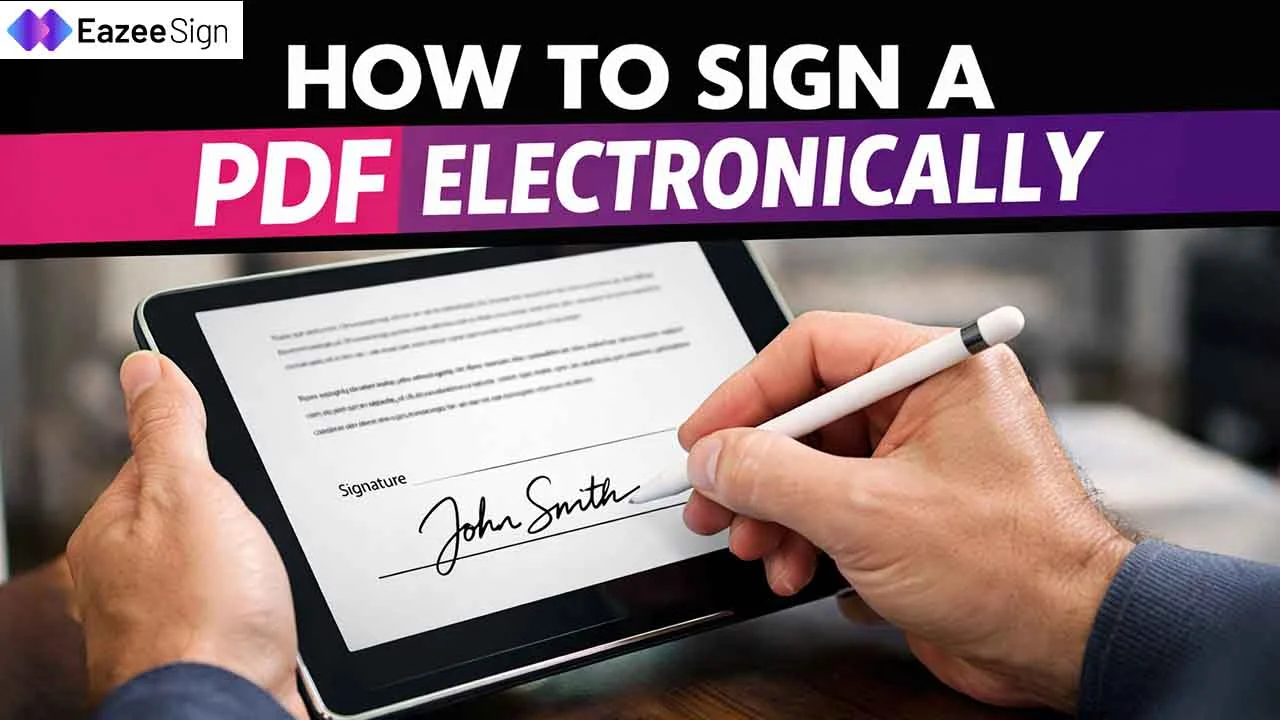
Printing a document just to sign it is no longer practical. A growing number of companies are replacing paper with digital files. PDFs are everywhere. Be it contracts, offer letters, vendor forms, or NDAs.
Today, you can add an electronic signature to a PDF in minutes. No paper. No scanner. No delays. Just upload, sign, and send in minutes. Whether you’re closing a deal, accepting an offer letter, or approving a contract, an e-signature makes the process fast and smooth.
In this blog post, you will learn exactly how to sign a PDF electronically. No complex steps. No technical confusion. Just clear instructions.
What Is an Electronic Signature?
An electronic signature software is any electronic method used to sign a document. It shows your intent to agree to the document. An e-signature PDF is valid in most countries when used correctly, and businesses use it for contracts, HR forms, invoices, and agreements. It can be:
- A typed name
- A drawn signature
- An uploaded image of your signature
- A click-to-sign confirmation
Electronic Signatures or Digital Signatures – What’s the Difference?
People often mix these two terms. However, both are different. An e-signature is simple, and confirms agreement. On the other hand, a digital signature software PDF uses encryption and verifies identity. It also locks the document from changes.
If you just need to sign quickly, an electronic signature works. However, if you need strong security and compliance, use a digital signature.
Why Sign a PDF Electronically?
Signing a PDF electronically improves workflow. HR teams close offers faster, sales teams close deals quicker, and vendors get paid sooner. Here’s why businesses prefer it:
- No printing
- No scanning
- No courier delays
- Faster approvals
- Easy document tracking
- Lower paper costs
How to Sign a PDF Electronically – Step by Step
Let’s break it down.
Step 1: Choose an E-Signature Tool
You need an e-signature app. Many tools allow you to sign online. Some are web-based and some are apps. Once you sign up, you’re ready to upload your document. Choose one that offers:
- Secure encryption
- Audit trail
- PDF support
- Legal compliance
Step 2: Upload the PDF
Click “Upload Document.” Select your PDF file from your device. Most tools support drag-and-drop. The file loads in the editor.
Step 3: Add Signature Field
Select “Add Signature.” Click on the place where you need to sign. You can resize the box if needed. You can also add:
- Date
- Name
- Initials
- Company stamp
This helps when multiple people are signing.
Step 4: Create Your Electronic Signature
Now choose how you want to sign. Pick what feels comfortable. You usually get three options:
Type – Enter your name. The system converts it into a signature style.
Draw – Use your mouse or touchpad to draw.
Upload – Upload an image of your signature.
Click “Apply.” Your e signature PDF is now visible on the document.
Step 5: Review and Confirm
Check everything carefully. Make sure that your name is correct, the signature is placed properly and the date is accurate. Once confirmed, click “Finish” or “Complete.” Your signed PDF is now ready.
Step 6: Download or Send
You can now download the signed PDF, email it to the other party, or share via link. Most platforms also send a copy automatically to all signers.
How to Send a PDF for Others to Sign?
You may not be the only signer as some documents require multiple signers. Here’s how it works:
- Upload the document.
- Add signature fields for each person.
- Enter their email addresses.
- Set the signing order (if required).
- Click send.
Each person receives an email. They sign online and you get notified when it’s complete. There is no chasing and no manual follow-ups.
Is an Electronic Signature Legal?
In most countries, yes. Laws like ESIGN Act (US), eIDAS Regulation (EU), and IT Act (India) recognize electronic signatures as valid. However, legality depends on intent, consent, and record-keeping. That’s why using a trusted e-signature platform matters. For high-value contracts, a digital signature PDF may be required.
When Should You Use a Digital Signature Instead?
A digital signature uses encryption technology. It creates a certificate-based signature and if someone edits the document later, the signature becomes invalid. That gives extra protection. You should use a digital signature when:
- You need identity verification
- You need document tamper protection
- You work in finance, legal, or government
- Compliance is strict
Common Mistakes to Avoid
Many users make small mistakes. You need to keep it simple and review before sending. Here are some of mistakes to avoid:
- Signing without reading
- Using unsecured tools
- Sending unsigned copies
- Not checking signer order
- Saving multiple document versions
Benefits of E-signatures for Businesses
If you run a company, electronic signatures help a lot.
HR Teams: HR teams can send offer letters and complete onboarding before day one.
Sales: Sales teams can close deals faster. You don’t have to wait for courier returns.
Legal Teams: Legal teams can track every signature and access audit logs anytime.
Finance Teams: They can approve invoices and sign vendor contracts quickly. It reduces turnaround time and improves productivity.
How Secure Is an E-Signature PDF?
Good platforms offer SSL encryption, multi-factor authentication, audit trails, time stamps, and IP tracking. This ensures transparency. A basic e-signature confirms agreement. Whereas a digital signature PDF confirms identity and document integrity. Choose the signature according to your need.
Can You Sign a PDF on Mobile?
Yes. Most e-signature tools support Android, iPhone, and tablets. You can upload, sign, and send from your phone. This is especially useful when you’re traveling or working remotely.
What If the PDF Is Locked?
Sometimes PDFs are restricted. If editing is disabled you can ask the sender to unlock it or request a sign-enabled version. It’s better to use a platform that supports form-enabled PDFs. Never try to bypass security illegally.
Make Signing Easier: Sign a PDF Electronically Today
Signing a PDF electronically is simple. It saves time and reduces paperwork. While an electronic signature works for daily agreements, a digital signature PDF works for high-security needs. Choose the right tool and review before signing.