B-1/E-23, Mohan Co-Operative Industrial Area, Mathura Road, Delhi-110044, India


- Electronic Signature
- 31-Aug-2026
- -
- 0 Comments
Somewhere in Mumbai, a candidate is refreshing her inbox on a Sunday evening — waiting for an offer letter she can sign from her phone. She doesn’t own a printer. She’s not going to buy one for this.
That’s the entire case for going digital, really. Not a trend. Just a printer nobody wants to buy.
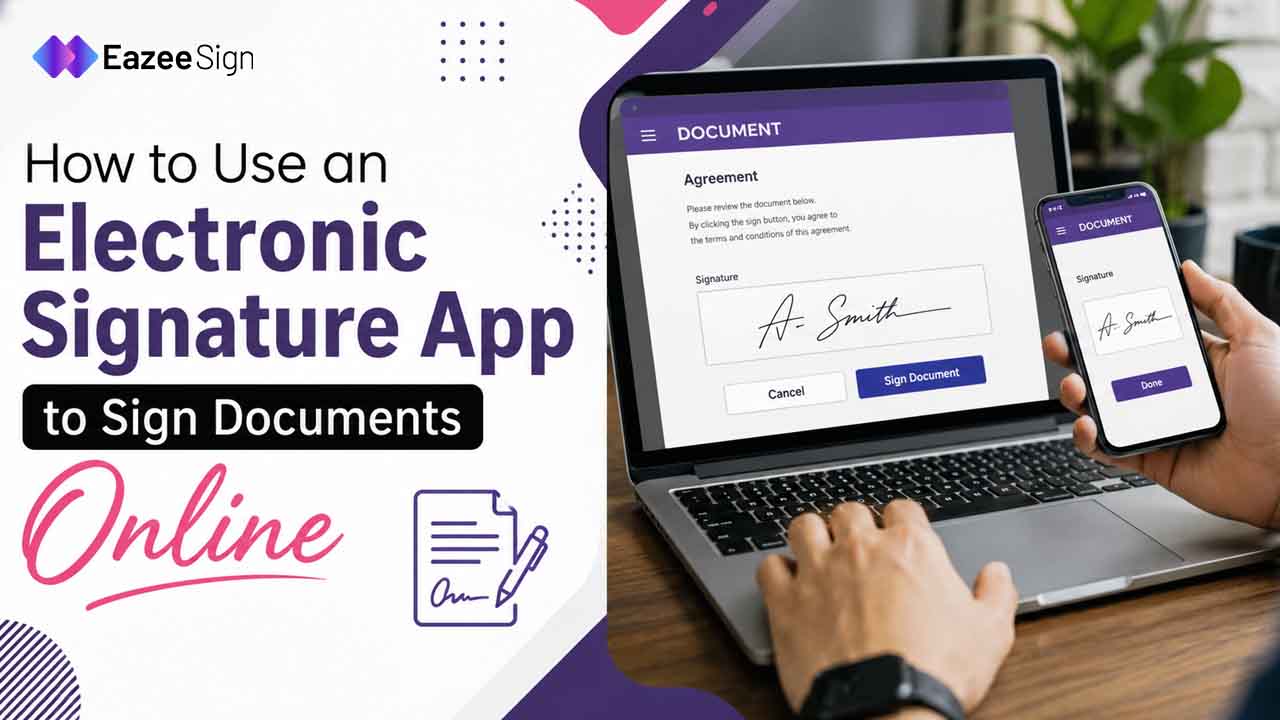
An electronic signature app solves that specific problem — sign anywhere, on any device, without ink, scanners or a courier. But knowing that it works and knowing how to actually use one are two different things. This guide covers both.
What an Electronic Signature App Actually Does
Here’ is the thing — most people assume an electronic signature app is just a fancy way to draw your name on a screen. It is more than that.
A proper electronic sign software platform handles the full document journey — uploading a file, placing signature fields, routing it to the right people in the right order, tracking who has opened it and storing a verifiable record once everyone has signed. The signature itself is just the last step.
Think of it less like a pen and more like a workflow. Upload, prepare, send, sign, done — no printer involved at any stage.
Getting Started: Choosing the Right Electronic Signature App
Not every tool is built the same. Before you upload your first contract, a few things are worth checking.
- Legal compliance — does it meet IT Act, 2000 requirements for India, so signed documents hold up if challenged?
- Audit trail — can you see exactly who signed, when and from where?
- Multi-party signing — can you set a signing order when a document needs three or four approvals, not just one?
- Security — does it offer two-factor authentication before someone can access a document?
- Ease of use for recipients — do signers need to create an account or can they sign directly in a browser?
If a platform ticks those boxes, you are generally in safe territory. EazeeSign, for instance, is built around exactly this list — audit trails, 2FA, multi-party routing and no login required for recipients.
Step-by-Step: How to Sign a Document Using an Electronic Signature App
Let’s walk through the actual process. Most electronic signature app platforms follow a similar four step flow and once you’ve done it once, it takes under two minutes.
1. Upload Your Document
Start by uploading the file you need signed — a contract, NDA, offer letter, invoice — whatever it is. Most platforms accept PDF and Word files and you can usually just drag and drop rather than dig through folders.
2. Prepare and Add Signers
Add the names and email addresses of everyone who needs to sign. If the document requires signatures in a specific order — say, an employee signs first, then a manager approves — set that sequence here. This is where an electronic sign software platform earns its keep; doing this manually over email is exactly the mess it’s designed to remove.
3. Place Signature Fields
Drag signature fields, date fields and initials onto the document wherever they are needed. Some platforms can auto-detect where a signature field should go, which saves a step if you’re working with a standard contract template.
4. Send and Track
Once everything has placed, send it. From here, most tools show real-time status — sent, opened, signed, still pending — so you are not left guessing whether someone’s actually seen the document or just ignored the email.
5. Sign and Complete
When it is your turn to sign or once all recipients have signed, the completed document is ready to download. No scanning. No re-uploading a photo of a signed page taken at a slight angle on someone’s kitchen table.
Why an Electronic Signature Matters Beyond Convenience
Speed gets all the attention, but it’s not the only reason businesses switch.
An electronic signature carries the same legal weight as a handwritten one in India, provided the signing process meets IT Act, 2000 standards — and unlike ink on paper, it comes with a built in record. Timestamps. IP addresses. A full history of who touched the document and when.
A sales head chasing five contracts through email threads does not just lose time. He loses visibility — no clear picture of what’s stuck and where. Switching to an electronic sign software platform does not just speed up the signing. It replaces the guesswork with a dashboard that actually shows the state of every document.
Not exactly glamorous. But it is the difference between chasing signatures — and just checking a screen.
Common Mistakes to Avoid
A few things trip people up the first time they use an electronic signature app:
| Mistake | Why It Matters |
| Not setting a signing order | Documents can get signed out of sequence, causing confusion in approvals |
| Skipping identity verification | Weakens the audit trail if the document is ever disputed |
| Using unsecured platforms | Puts sensitive contracts at risk without encryption or 2FA |
| Ignoring reminders | Documents sit pending longer than necessary without automated nudges |
| Ignoring mobile compatibility | Recipients on phones may struggle if the app is not mobile-friendly |
None of these are dealbreakers. They are just habits worth building early.
A Quick Scenario
A procurement manager at a manufacturing firm used to route vendor approvals through six separate email chains, each one a slightly different version of “just checking in, any update?” After switching to an electronic signature app, those six chains became one dashboard. Same vendors. Same approvals. Considerably less checking in.
That’s usually what changes first. Not the signature. The waiting.
Final Thoughts
An electronic signature app isn’t complicated once you have used one. Upload, prepare, send, sign — the whole point is that it should not feel like a new skill, just a faster version of something you already know how to do.
Platforms like EazeeSign build this around Indian compliance requirements specifically, with audit trails, two factor authentication and support for bulk sending when one document needs to go to many recipients at once. Worth a look if paper’s still slowing your team down.
Frequently Asked Questions
Is an electronic signature app safe to use for business contracts?
Yes. This is possible only if the platform has encryption and two-factor authentication, as well as a comprehensive audit trail. These features have the ability to keep the document safe in case any doubts arise.
Do recipients need to download software to sign a document?
No. Most electronic sign software lets recipients sign directly in their browser, with no account or installation required.
Is an electronic signature legally valid in India?
Yes. Electronic signatures are permitted by the IT Act, 2000, and typically, they can be presented in court as evidence, assuming that the signing procedure has been followed properly.
Can I use an electronic signature app on my phone?
No. The majority of electronic signature applications enable individuals to sign documents instantly on their browsers, with no accounts or downloads necessary.
What’s the difference between an electronic signature and a digital signature?
An electronic signature is the broader category — typed, drawn or click to sign. A digital signature is a specific, certificate-based type using cryptographic keys usually required for certain regulated filings.
How long does it take to sign a document using an electronic signature app?
Once a document is uploaded and fields are placed, signing itself typically takes under a minute. The bigger time savings come from cutting out printing, scanning and back & forth email.
Can multiple people sign the same document using electronic sign software?
Yes. Multi-party signing lets you add several recipients and, if needed, set the order in which they sign.