B-1/E-23, Mohan Co-Operative Industrial Area, Mathura Road, Delhi-110044, India


- Electronic Signature
- 13-Nov-2026
- -
- 0 Comments
Docusign is a familiar name when we talk about electronic signatures. Many businesses have used it to send agreements, collect signatures and manage their documents online — but familiarity of any tool does not always mean that it is the right choice for their business.
A startup sending a few contracts in a week may have very different requirements than the company which needs managing hundreds of agreements on daily basis. The decision can be influenced by the factors such as pricing, document limits – ease of use and the features included in each plan can all influence the decision.

This is one reason businesses are exploring other eSignature platforms.
For Indian companies pricing is another factor worth considering for any electronic signature tool. Docusign alternatives for Indian businesses that charge in rupees can make budgeting easier. Some tools also offer AI features that help the users to review the documents instead of focusing only on the signing process.
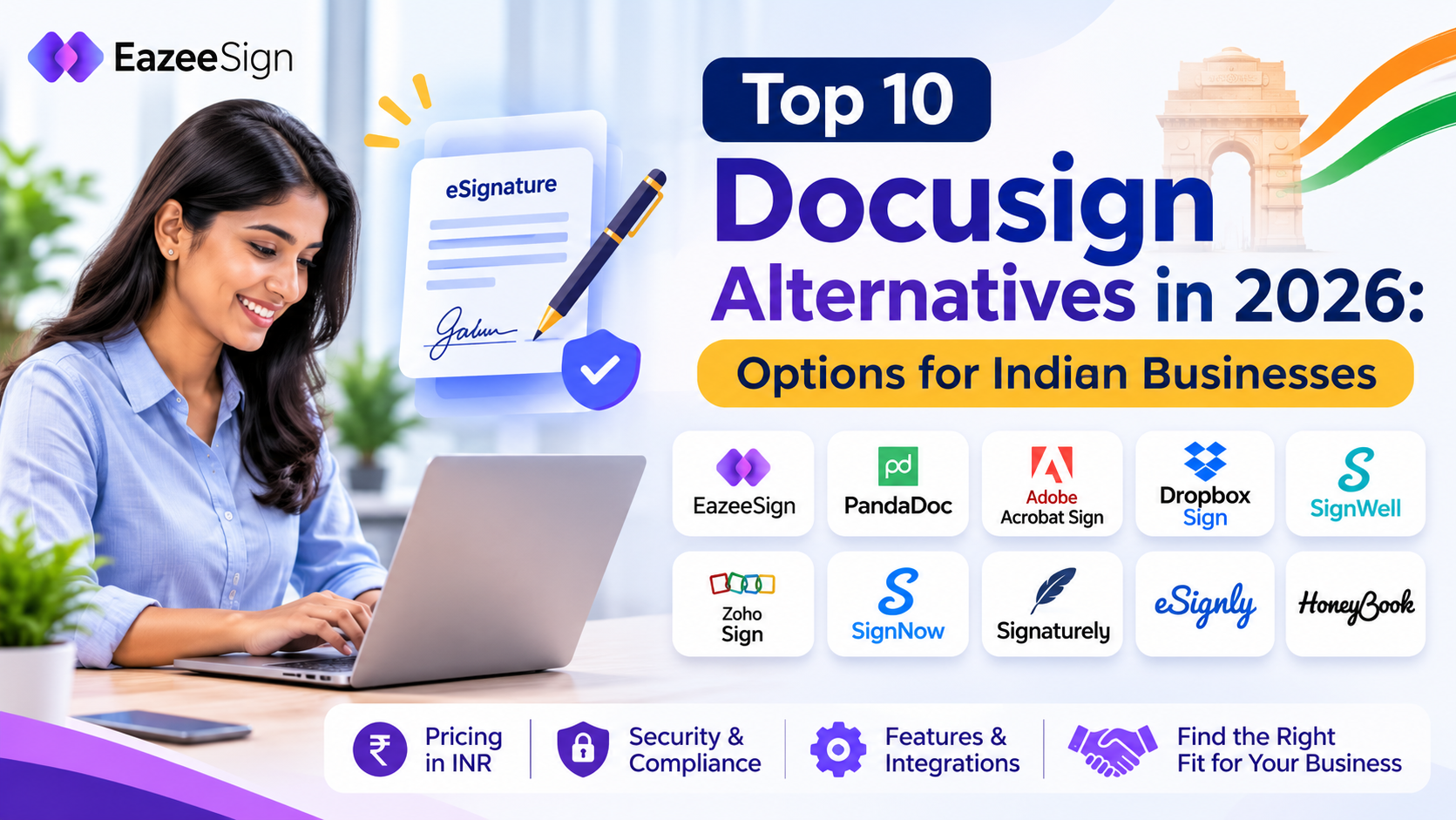
In this guide, we will look at 10 Docusign alternatives, compare their key features and pricing and explain where each platform may fit.
Why Indian Businesses Look for a Docusign Alternative
Docusign offers a well known electronic signing platform. Still, businesses may find that its plans do not match their budget or day to day requirements.
Here are a few things worth looking at before choosing a platform.
1. Pricing and currency
Docusign’s plans are priced in US dollars. Its Standard plan is listed at $30 per user per month, while Business Pro is listed at $45 per user per month on annual plans billed monthly.
For an Indian business with several users, the total cost can become an important part of the decision. Currency conversion also makes it harder to estimate the exact amount the business will pay.
2. Document or envelope limits
The number of documents a team sends can affect which plan makes sense. Docusign Standard and Business Pro have an annual allowance of 100 envelopes per user, according to the plan details used for this comparison.
A team sending offer letters, vendor agreements and customer contracts regularly should check these limits before signing up. It is also worth checking whether additional services, such as SMS delivery or identity verification, carry separate charges.
3. Features that match actual requirements
Not every business needs an extensive list of enterprise features. A small team may mainly need document signing, templates, reminders and an audit trail.
Paying for features that the team rarely uses may not make financial sense. On the other hand, choosing a plan that is too limited can create extra work later.
4. Fit with local business needs
Businesses in India may prefer INR pricing and support that understands their requirements. They may also want to check how a platform handles the types of documents and signing processes they use regularly.
These are practical reasons to compare alternatives rather than choosing a platform based on its name alone.
What to Compare Before Choosing a Docusign Alternative
Before looking at individual tools, make a list of what your team actually needs. A quick comparison can help avoid choosing a platform that looks inexpensive but does not support your regular workflow.
Here are some points to check:
- Pricing: Is the plan billed monthly or annually? Which currency does it use?
- Document limits: Does the plan restrict envelopes, documents or signature requests?
- Security and records: What certifications, verification methods and audit records does the provider offer?
- Signing experience: Can someone who has never used the platform complete the process easily?
- Integrations: Does it connect with the tools your team already uses?
- Mobile access: Can users send or sign documents from their phones?
- AI capabilities: Does the platform help with document review, summaries or comparisons?
- Support: What support options are available if something goes wrong?
Price is important, but it should not be the only deciding factor. A plan that costs less may have limits that do not work for your team. Compare the complete offering before making a decision.
Top 10 Docusign Alternatives at a Glance
Here is a quick look at the platforms covered in this guide.
| # | Tool | Best for | Starting price | Free option |
| 1 | EazeeSign | Indian businesses looking for AI-powered signing | ₹350/user/month on yearly billing | Free plan |
| 2 | PandaDoc | Proposals, quotes and contracts | $19/seat/month | Free plan with 5 documents/month |
| 3 | Adobe Acrobat Sign | PDF-focused teams | $14.99/month for Acrobat Standard | Trial on selected plans |
| 4 | Dropbox Sign | simple document signing | $15/month for Essentials | 30-day trial on paid plans |
| 5 | SignWell | Occasional signing | $12/month for Light | Free plan with 3 documents/month |
| 6 | Zoho Sign | Businesses using Zoho products | Contact sales | Free plan with 5 envelopes/month |
| 7 | SignNow | Teams sending signature requests | Check vendor pricing | Check vendor pricing |
| 8 | Signaturely | Small teams with limited signing needs | $25/month for Personal | 1 document/month after trial |
| 9 | eSignly | Teams looking for a lower entry price | $10/user/month | Free plan with 3 documents |
| 10 | HoneyBook | Freelancers and service businesses | $29/month for Starter, billed annually | 30-day trial |
Top 10 Docusign Alternatives Compared
1. EazeeSign: An eSignature Option for Indian Businesses
EazeeSign is an AI-powered eSignature platform developed in India. It brings electronic signing and AI document capabilities together, making it an option for businesses that want to do more than collect signatures.
One area worth looking at is its AI functionality. Features such as AI Readiness Check and AI Risk Analysis help users review documents before sending them for signature. Other AI capabilities include document summaries, red flag detection, key clause analysis and document comparison.
Pricing is another consideration for Indian teams. EazeeSign Standard costs ₹350 per user per month with yearly billing. The monthly billing option is ₹600 per user. This gives businesses a pricing option in Indian rupees instead of having to budget in US dollars.
The platform also supports features such as OTP verification, in-person signing, renewal notifications and document storage. Mobile access is available for users who need to work with documents away from their desks.
Businesses considering EazeeSign should review the available plans and confirm which features and usage limits apply to their requirements.
Best for: Indian startups, SMEs and growing teams looking for electronic signatures, AI document review and INR-based pricing.
Worth checking: Confirm plan-wise AI feature availability, document limits and any specific signing requirements before moving your team’s workflow.
2. PandaDoc
PandaDoc combines proposals, quotes, contracts and electronic signatures in one platform. This makes it particularly relevant to sales teams that prepare documents for potential customers and then need to collect approvals.
Its Starter plan is listed at $19 per seat per month. The Business plan, listed at $49 per seat per month with annual billing, includes additional capabilities such as payment collection, approvals and CRM integrations.
PandaDoc also offers a free plan with a limit of five documents per month. This can be useful for someone who wants to try the platform before moving to a paid subscription.
Best for: Sales teams that create proposals and quotes alongside contracts.
Worth checking: Per-seat pricing can add up as more team members need access.
3. Adobe Acrobat Sign
Adobe Acrobat Sign is part of Adobe’s document and PDF ecosystem. Businesses that already use Acrobat may find it convenient to manage PDF documents and electronic signatures within familiar software.
Acrobat Standard starts at $14.99 per month on an annual plan billed monthly. Acrobat Pro offers additional capabilities, including bulk sending, agreement branding and reusable e-signature templates.
The main point to consider is how closely your team’s work is tied to PDFs. If PDF editing and document management are already part of your daily process, Adobe may be worth evaluating.
Best for: Offices and teams that work with PDF documents regularly.
Worth checking: Review the differences between Acrobat plans and the annual commitment before choosing one.
4. Dropbox Sign
Dropbox Sign focuses on making electronic signing simple. It is an option for businesses that want to send documents for signatures without adopting a broader proposal or contract management platform.
The Essentials plan costs $15 per month for one user when billed monthly. The Standard plan costs $25 per user per month for teams with two or more users. Dropbox Sign also advertises no cap on signature requests on the relevant plans.
Paid plans include a 30-day trial, giving teams some time to explore the platform.
Best for: Small businesses and teams that mainly need document signing.
Worth checking: Premium pricing and API services are separate considerations, particularly for businesses planning to connect signing with their own applications.
5. SignWell
SignWell is designed for businesses and individuals that do not send a large number of documents every month.
Its free plan allows three documents per month with one sender. Paid plans remove the document limit. The Light plan costs $12 per month, while the Business plan costs $36 per month when billed monthly.
SignWell also lists features such as audit trails and security-related certifications on its paid plans.
For someone who signs a few documents occasionally, the free plan may be enough to get started. A team with regular signing requirements should compare the paid options.
Best for: Individuals and small businesses with occasional signing needs.
Worth checking: Additional senders may increase the total subscription cost.
6. Zoho Sign
Zoho Sign is part of the wider Zoho business software ecosystem. This makes it relevant to companies already using Zoho applications for CRM, HR, finance or other business operations.
The platform offers several plans, including a free option. The free plan supports one user and five envelopes per month. The Standard plan allows 25 envelopes per user per month, according to the plan details used here.
Zoho also offers yearly billing, which can reduce the subscription cost compared with monthly billing.
Best for: Businesses that already use Zoho products and want electronic signatures within their existing software environment.
Worth checking: Envelope limits and plan differences before selecting a subscription.
7. SignNow
SignNow, also known as airSlate SignNow, focuses on electronic signatures and document workflows. It can be considered by teams that regularly send signing requests to multiple people.
One detail worth understanding is how the platform counts signature requests. According to the usage information in this comparison, an invite counts as one signing request even if it includes several recipients or a group of documents. Cancelled or declined invites may also count towards usage.
This is important for businesses that send documents in batches or frequently need to make changes to signing requests.
Best for: Teams that send signature invitations and grouped documents regularly.
Worth checking: Current pricing, usage limits and how the platform counts signature requests.
8. Signaturely
Signaturely is an online signature platform aimed at individuals and smaller teams.
Its Personal plan costs $25 per month and includes five signature requests and one template. The Business plan costs $50 per user per month and removes the limits on requests and templates, according to the pricing details used for this article.
After the trial, users can continue with a limited free option that allows one document per month.
The Personal plan may work for someone with a small number of signing requirements. Businesses sending documents regularly should look closely at the available limits.
Best for: Individuals and small teams with modest signing volumes.
Worth checking: The limits on the Personal plan and the cost of moving to Business.
9. eSignly
eSignly offers electronic signature plans at different price points. Its Professional plan costs $10 per user per month, Business costs $20 and Enterprise costs $30, based on the pricing details used here.
It also offers a free option that covers three documents.
The pricing may appeal to businesses looking for a lower starting point. However, it is still important to compare the features included in each plan rather than looking only at the monthly price.
Best for: Small teams looking for a lower-cost electronic signature option.
Worth checking: Plan features, document limits and additional taxes before subscribing.
10. HoneyBook
HoneyBook is different from many tools on this list. It is designed for client and project management, with features that help freelancers and service businesses manage their work with customers.
The Starter plan costs $29 per month when billed annually. It supports client and project management, while the Essentials plan includes support for up to two team members, according to the plan information used for this comparison.
HoneyBook may make sense if you want to manage more than signatures. For a business that only needs an eSignature platform, a dedicated signing tool may be a closer fit.
Best for: Freelancers and service businesses that manage client work from start to finish.
Worth checking: Whether you need the wider project management features or simply want electronic signatures.
EazeeSign vs Docusign: How Do They Compare?
Both platforms support electronic signing, but their pricing and additional capabilities differ.
For Indian businesses, it is useful to compare the cost in local currency, the features available and the document limits that apply to each plan.
| Factor | Docusign | EazeeSign |
| Entry paid plan | Standard at $30/user/month on an annual commitment, billed monthly | Standard at ₹350/user/month with yearly billing |
| Pricing currency | US dollars | Indian rupees |
| Envelope or signing limits | Standard allows 100 envelopes per user per year, based on the plan details used here | Check the applicable EazeeSign plan and usage terms |
| AI document capabilities | Offers separate AI and agreement workflow products; availability depends on product and plan | Offers AI document capabilities, including AI Readiness Check and AI Risk Analysis |
| Certifications | Check the certifications applicable to the selected plan and service | ISO 27001 and SOC 2, subject to current certification verification |
| Business focus | Global business and enterprise use | Developed in India, with INR pricing |
1. Pricing in Indian Rupees
EazeeSign’s Standard plan starts at ₹350 per user per month with yearly billing. The monthly billing option costs ₹600 per user.
Docusign’s Standard plan is priced in US dollars. For an Indian company, the final cost in rupees will depend on the exchange rate and applicable charges.
If predictable INR pricing matters to your finance team, this is an important difference to consider.
2. AI Features for Document Review
Signing a document is one step in the agreement process. Understanding what the document contains is another.
EazeeSign offers AI capabilities such as readiness checks, risk analysis, summaries, red flag detection and document comparison. These tools are intended to help users review documents before moving ahead with a signature.
Docusign also offers AI and agreement workflow products. The features available depend on the product and subscription selected, so businesses should compare the exact plan inclusions rather than assuming that every AI feature is part of the Standard plan.
3. Document Limits
Docusign Standard has an annual envelope allowance of 100 per user, according to the plan information used in this article.
For EazeeSign, businesses should check the applicable plan terms and document usage limits before choosing a subscription. This is especially important for teams that send a high volume of agreements every month.
4. Fit for Indian Businesses
A platform’s pricing and feature list are only part of the decision. The team should also consider how easily it fits into existing business processes.
EazeeSign offers pricing in Indian rupees and is developed in India. This may make it worth considering for businesses that prefer local pricing and want to explore its AI document capabilities.
Which one should you choose?
If your organisation already relies on Docusign’s integrations, workflows or enterprise setup, compare those requirements before switching. If INR pricing and AI-powered document review are important to your team, EazeeSign is worth evaluating alongside other options.
How to Choose the Right Docusign Alternative
There is no single platform that works for every business. The right choice depends on how often you send documents, who needs to sign them and which other tools your team uses.
Here is a simple way to narrow down the options.
For startups and small teams
Look for a platform with a manageable starting price, a simple signing process and clear document limits. EazeeSign, SignWell and eSignly are options worth comparing. EazeeSign also offers INR pricing and AI document review capabilities.
For sales teams
If your sales process involves proposals, quotes and customer agreements, PandaDoc may be worth a closer look. Its focus extends beyond collecting signatures.
For PDF-focused offices
Adobe Acrobat Sign may fit teams that already use Acrobat for editing and managing documents.
For businesses using a larger software suite
If your organisation already works with Zoho applications, Zoho Sign may be a convenient option to evaluate.
For freelancers and service providers
HoneyBook may be relevant if you want client and project management along with document-related features.
Once you have shortlisted two or three platforms, try them with a document your team regularly uses. Check how long it takes to upload the file, add signers and complete the signing process. The experience of the actual signer matters just as much as the features shown on a pricing page.
Conclusion
Docusign is one option in a market that now has several electronic signature platforms. The alternatives differ in pricing, document limits and the type of work they are designed to handle.
For Indian businesses, it makes sense to look beyond the monthly subscription amount. Consider the currency, the number of documents your team sends and whether the platform offers features that help with the work before and after signing.
EazeeSign is worth considering if you are looking for an eSignature platform with INR pricing and AI-powered document capabilities. PandaDoc may suit sales teams, Adobe Acrobat Sign may fit PDF-heavy offices, while Zoho Sign is relevant to businesses already using Zoho.
Take a look at your team’s actual requirements, compare the plans and test the signing experience before making a decision.
FAQs
1. What is the best Docusign alternative for Indian businesses?
The right choice depends on your team’s budget, document volume and required features. EazeeSign is one option for Indian businesses looking for electronic signatures, AI document capabilities and pricing in Indian rupees. Other options include Zoho Sign, PandaDoc and SignWell.
2. Is there a cheaper Docusign alternative?
Yes. Several platforms offer plans at different price points. EazeeSign Standard starts at ₹350 per user per month with yearly billing. SignWell and eSignly also offer lower-priced plans. Compare the features and usage limits before choosing based on price alone.
3. Is there a free Docusign alternative?
Yes. PandaDoc, SignWell, Zoho Sign and eSignly offer free plans with usage limits. EazeeSign also offers a free plan. Check each provider’s current terms to understand how many documents or envelopes you can use.
4. How does EazeeSign compare with Docusign?
EazeeSign offers electronic signatures, INR-based pricing and AI document capabilities. Docusign offers a wider range of products and workflows for different business requirements. The better fit depends on your team’s needs, plan limits and existing integrations.
5. What should a business check before switching from Docusign?
Compare pricing, document limits, security certifications, audit trails, integrations and mobile access. It is also a good idea to test the signing process with a real business document before moving the entire team.
6. Do signed documents remain valid after switching from Docusign?
Changing eSignature providers does not, by itself, determine the validity of documents that have already been signed. Validity depends on the applicable law, the document type and the signing method used. Businesses should retain completed documents and their related records and seek legal advice where required.
7. Does EazeeSign support DSC and Aadhaar eSign?
EazeeSign does not provide DSC or Aadhaar eSign. If a particular document requires one of these signing methods, the business must use the appropriate service or authority-prescribed process.
8. Can I use EazeeSign on my mobile?
EazeeSign provides mobile apps for users who need to access signing workflows from their devices. Check the current app availability and supported features for your device.