B-1/E-23, Mohan Co-Operative Industrial Area, Mathura Road, Delhi-110044, India


- Electronic Signature
- 06-Nov-2026
- -
- 0 Comments
A contract gets printed. Someone signs it in blue ink, scans it and emails the PDF back. Everyone calls that “going digital.” It is not.
The file is digital. The signature is just a photo, sitting inside a document that anyone could edit, copy or reuse. That gap delayed the growth in plenty of businesses and it tends to surface at the worst moment, right when a dispute lands on someone’s desk.
What Is an Electronic Signature?
Think of it as a signature born online. A typed name counts. So does a signature drawn on a touchscreen, a click on an “I agree” button or an OTP entered to confirm consent. The common thread is intent. The signer meant to sign and the system recorded it.
That record is where the value sits. A proper electronic signature tool logs who signed, when and from where. It locks the document afterward, so nothing changes quietly. Some tools go a step further and use a digital signature, which adds encryption to bind the signer’s identity to the file. Same family, tighter security.
What Is a Scanned Signature?
It is simple — Like someone signs a paper, then a scanner or phone camera turns that ink into an image. After this , it is often the image gets pasted into a Word file or PDF, again and again, across different documents.
That’s the problem. The image shows how a signature looks. It says nothing about who placed it, when or whether the signer ever saw the final wording. No log. No lock. Copy it once and it works anywhere and nobody can tell the real thing from a pasted one.
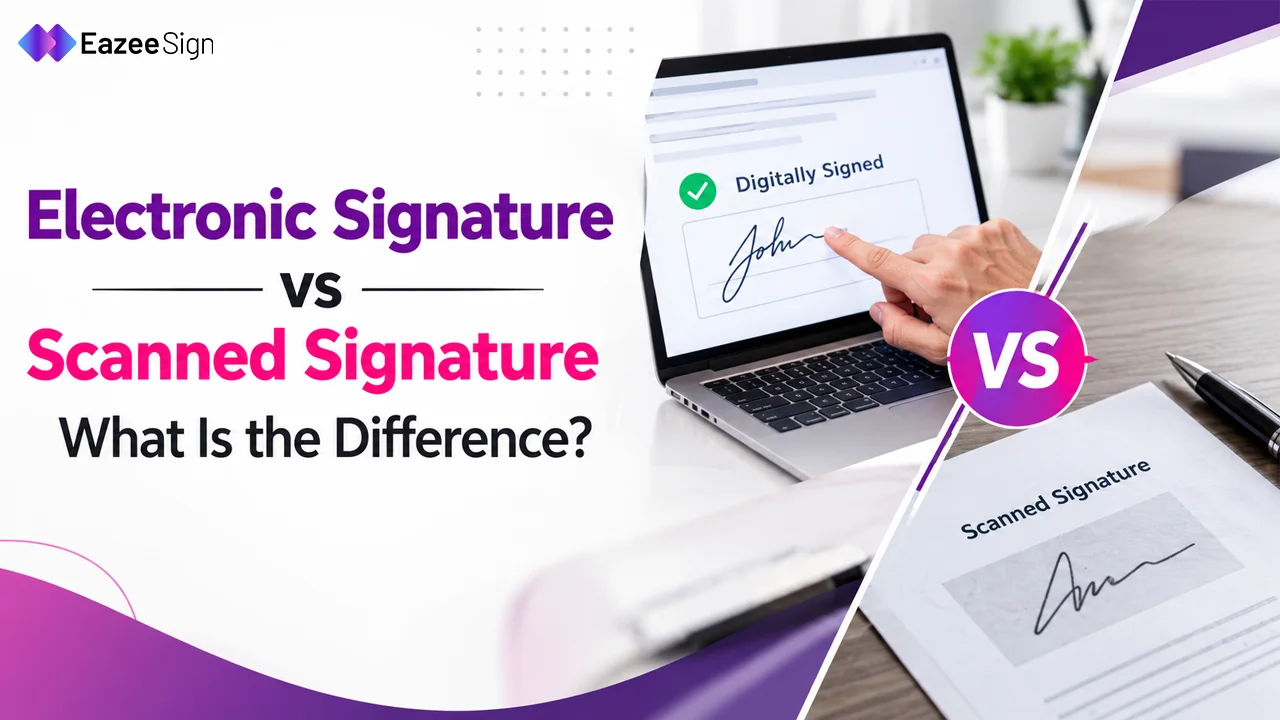
Electronic Signature vs Scanned Signature: Where the Gap Shows
Side by side, the differences get obvious.
| Electronic signature | Scanned signature | |
| How it’s made | Applied inside a signing platform | Ink on paper, converted to an image |
| Identity check | Email, OTP or ID verification | None |
| Audit trail | Timestamp, IP address, consent record | Nothing recorded |
| Tamper protection | Document locks after signing | File stays editable |
| Speed | Minutes, from any device | Print, sign, scan, send |
| Storage | Centralised and searchable | Scattered across inboxes and folders |
The biggest gap is proof. An e Signature carries evidence of who signed and when. A scanned one carries a picture. When a counterparty later says “that’s not my signature,” only one of those holds up.
Speed matters too, though less than most people assume. Saving a day or two is nice. A defensible record is better.
Why a Scanned Signature Gets Risky Fast
Picture a small vendor firm. A manager scans her signature once and keeps the image on her desktop. Months later, a purchase order goes out with that image on it. She never saw it. Nobody can prove she did or didn’t.
That’s the weak spot. A scanned image can be pasted onto any file. There’s no timestamp. No IP log. No record that the signer read the final terms. Auditors and courts ask for exactly those things.
Edits cause another headache. A scanned PDF can be altered after signing and the change may not show. Version confusion follows. Which copy is the real one? Nobody’s sure.
When an Electronic Signature Makes More Sense
Most business paperwork fits here. Vendor agreements. Offer letters. NDAs. Customer onboarding forms. Anything with more than one signer in more than one city.
Remote signing is the easy win. A signer opens the link on a phone, signs in a minute, done. No printer hunt, no courier. The Eazeesign eSign platform tracks that who has signed the paper and who has still sitting on it and which beats chasing people through email threads. It is done through its Audit trail feature.
The audit trail matters most in regulated work like finance, HR and healthcare — where records get reviewed later. Having it built in saves a scramble.
The traditional paper method still has a place. Some documents like certain property related filings those may require wet ink under local rules so a quick check before switching is smart.
Choosing the Right Electronic Signature Method
Not every document needs the same weight. A simple internal approval can run on a basic electronic signature. A high value contract may call for a digital signature with certificate based verification. Matching the method to the risk keeps things fast without cutting corners.
The scan-and-email habit won’t last. Signing platforms keep getting easier to use and teams still pasting ink images into PDFs will feel the friction first.