B-1/E-23, Mohan Co-Operative Industrial Area, Mathura Road, Delhi-110044, India


- Electronic Signature
- 06-Nov-2026
- -
- 0 Comments
Are you looking for an eSignature subscription that does not add too much to your monthly business expenses? Then you are at the right place, because choosing the right plan can make a difference, especially if you regularly send agreements, approval documents, contracts or other files for signing.
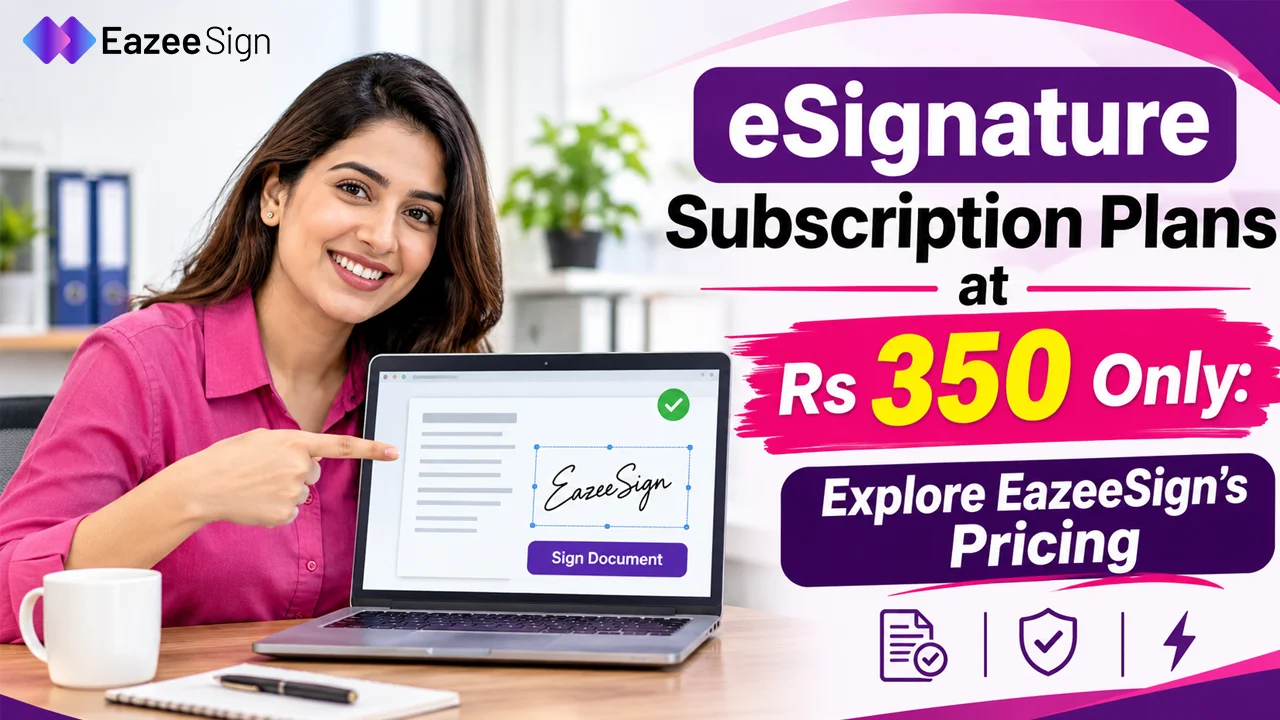
EazeeSign offers subscription plans designed for different document signing needs. Its Standard plan costs just ₹350 per user per month when billed annually. If you prefer monthly billing, the same plan costs ₹600 per user per month.
But the price is only one part of the decision — you also need to look at the features included in the subscription, the number of documents you can send and the tools available to manage your signing process.
Let’s explore EazeeSign’s eSignature subscription plans, compare the billing options and understand what you get with each plan.
How Can You Get an eSignature Subscription Plan at ₹350?
The ₹350 price is available when you select the annual billing option for EazeeSign’s Standard plan.
Instead of paying ₹600 every month, you can choose to pay for the full year upfront. This brings the effective monthly cost down to ₹350 per user.
Here is how the two billing options compare.
Monthly vs Annual eSignature Subscription Plans
| Pricing details | Monthly plan | Annual plan |
| Standard plan | ₹600/user/month | ₹350/user/month |
| Billing cycle | Monthly | Annually |
| Total payment | ₹600 per month | ₹4,200 per year |
| Annual savings | — | ₹3,000 |
Annual subscription price is ₹4,200 per user, plus GST.
The difference is easy to understand. With monthly billing, you pay ₹600 every month. With annual billing, you pay ₹4,200 upfront for the year, which works out to ₹350 per month.
This means you save ₹3,000 over 12 months compared with paying the monthly price throughout the year.
What Do You Get With the EazeeSign Standard Plan?
A lower subscription cost is useful, but what matters more is what you can actually do with the software.
The EazeeSign Standard plan includes several features for individuals and small teams that regularly manage documents and collect signatures.
Here are some of the key features included in the plan.
1. AI Document Intelligence
This is the major USP of Eazeesign, because many other tools offer these features in their upgraded versions and this is extremely crucial for businesses nowadays as reviewing agreements manually can take time, especially when documents contain multiple clauses and conditions.
EazeeSign includes AI Document Intelligence in its standard plan too — to help users understand and review their documents with better insights. Its capabilities include document summaries, key clause analysis, red-flag detection and document readiness checks.
2. Bulk Signing
If you are the one who regularly sends documents to the multiple people then preparing and sending each request separately can take too much time.
The Standard plan of eazeeSign supports bulk signing for up to 25 documents which helps the users in managing multiple signing requests more efficiently.
3. Signing Link Invitations
It allows sending the signing invitations through links on whatsApp and email — so the recipients can access the documents they need to sign without downloading or installing any application or software.
This makes it easier to share documents without depending on physical copies or lengthy email exchanges.
4. Automated Reminders and Tracking
In your business workflow, pending signatures can delay the processes and sometimes deals also but EazeeSign provides the features of automated reminders and document tracking features that help you to follow the progress of your signing requests.
You can check document activity instead of manually contacting every recipient for updates.
5. Document Groups and Reusable Documents
Organising the bulk documents becomes easier when you handle several agreements or signing requests.
Therefore, the Standard plan includes document groups and the option to reuse your own documents. This option can reduce repetitive work when you regularly send similar files.
6. Mobile and Desktop Apps
Anyone can not sit always at his seat or at an office desk, the nature and demand of the job may have relocation or travel a lot, so someone like this should need the tool that can work in remote too.
EazeeSign provides mobile and desktop apps that allow the users to access and manage their signing workflows across devices remotely using mobile and laptop.
Does the Standard Plan Include AI Document Intelligence?
Yes. AI Document Intelligence is included in both the Standard, Business Pro and enhanced plans.
This is worth highlighting because users do not need to select the higher-priced plan just to access the AI document intelligence capabilities.
Here is what these AI features can help you do:
- AI Document Summary: With this feature, you can get a simpler overview of lengthy documents, without reading every line.
- Key Clause Analysis: It identifies the important clauses and the details that deserve attention.
- AI Red Flag Scanner: This feature highlight the potential risks or unusual details in a document for further review.
- AI Readiness Check: It review the document and identify the missing or potentially misleading information before sending it for signing.
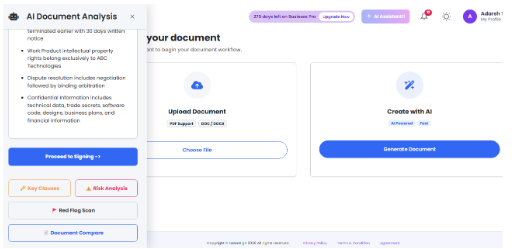
Show the actual AI review panel, including the readiness score and document suggestions or another available AI feature.
These capabilities can make document review more convenient. However AI suggestions should be reviewed carefully. They do not replace professional legal advice or a final human review.
Standard vs Business Pro: Which eSignature Plan Should You Choose?
EazeeSign offers different plans depending on how you manage documents and what kidn of solution your team needs.
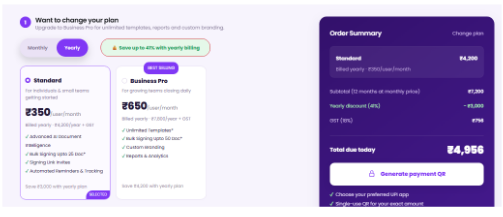
The Standard plan is designed for individuals and small teams getting started. Business Pro is intended for growing teams that need additional document management and workflow capabilities.
Here is a quick comparison of the annual plans.
| Features | Standard | Business Pro |
| Price per user/month | ₹350 | ₹650 |
| Annual payment | ₹4,200 + GST | ₹7,800 + GST |
| AI Document Intelligence | Included | Included |
| Bulk signing | Up to 25 documents | Up to 50 documents |
| Templates | Reusable documents | Unlimited templates |
| Custom branding | — | Included |
| Reports and analytics | — | Included |
| Multi-language support | — | Included |
| Conditional documents | — | Included |
| Advanced threat protection | — | Included |
When Should You Choose Standard?
The Standard plan may be suitable for you — if you are an individual, freelancer or small team that regularly sends documents for signatures.
It includes AI Document Intelligence, bulk signing for up to 25 documents, automated reminders, tracking and document management features.
When Should You Choose Business Pro?
Business Pro may be a better fit for the growing teams that have higher volume of documents or additional workflow requirements.
It supports the bulk signing for up to 50 documents and it includes multiple other features such as unlimited templates, custom branding, reports, analytics, and document creation from scratch.
Both plans include AI Document Intelligence, so your choice can depend on the additional features and document volume you need.
Is an Annual eSignature Subscription Worth It?
If you use electronic signatures regularly — an annual subscription can reduce your overall spending.
Consider the Standard plan. Paying ₹600 every month for 12 months costs ₹7,200 before GST. With annual billing, the total comes down to ₹4,200 plus GST.
That is a saving of ₹3,000 over the year.
However the annual billing may not suit for everyone. If you only need to sign a few documents occasionally or you prefer not to make an upfront yearly payment, monthly billing may be more convenient for you.
So before selecting a plan, always consider how often you send documents and how many people need access and which features your workflow requires.
The right subscription is one that matches your actual usage rather than simply having the lowest advertised price.
FAQs
1. How much does an eSignature subscription cost per month?
The cost depends on the selected plan and billing cycle. EazeeSign’s Standard plan costs ₹600 per user/month with monthly billing or ₹350 per user/month with annual billing.
2. Can I get an eSignature subscription for ₹350 per month?
Yes. EazeeSign offers its Standard plan at an effective price of ₹350 per user/month when you select annual billing. The total annual payment is ₹4,200 plus GST.
3. Is the ₹350 eSignature plan billed monthly or annually?
The ₹350 price applies to annual billing. You pay ₹4,200 upfront for 12 months, plus GST. If you choose monthly billing, the price is ₹600 per user/month.
4. What features are included in the EazeeSign Standard plan?
The Standard plan includes AI Document Intelligence, bulk signing for up to 25 documents, signing link invitations, automated reminders and tracking, document groups, reusable documents, mobile and desktop apps and unlimited storage.
5. Does the EazeeSign Standard plan include AI features?
Yes. AI Document Intelligence is included in both Standard and Business Pro plans. It includes capabilities such as document summarisation, key clause analysis, red flag detection and document readiness checks.
Choose an eSignature Subscription Plan That Fits Your Needs
Choosing an eSignature subscription plan does not have to be complicated to confuse the users. It should be clear and transparent. The user can start by understanding their document volume need, signing requirements and the features your team needs.
With EazeeSign you can get the Standard plan for an effective monthly cost of ₹350 per user with annual billing — compared with ₹600 per user when billed monthly. You also get access to AI Document Intelligence and essential document signing and management features.
If your team needs more advanced capabilities — you can explore the Business Pro plan as well and you can also connect with our team.
Explore EazeeSign’s electronic signature solution and choose a subscription that works for your document signing needs.