B-1/E-23, Mohan Co-Operative Industrial Area, Mathura Road, Delhi-110044, India


- Digital Signature Software
- 17-Nov-2026
- -
- 0 Comments
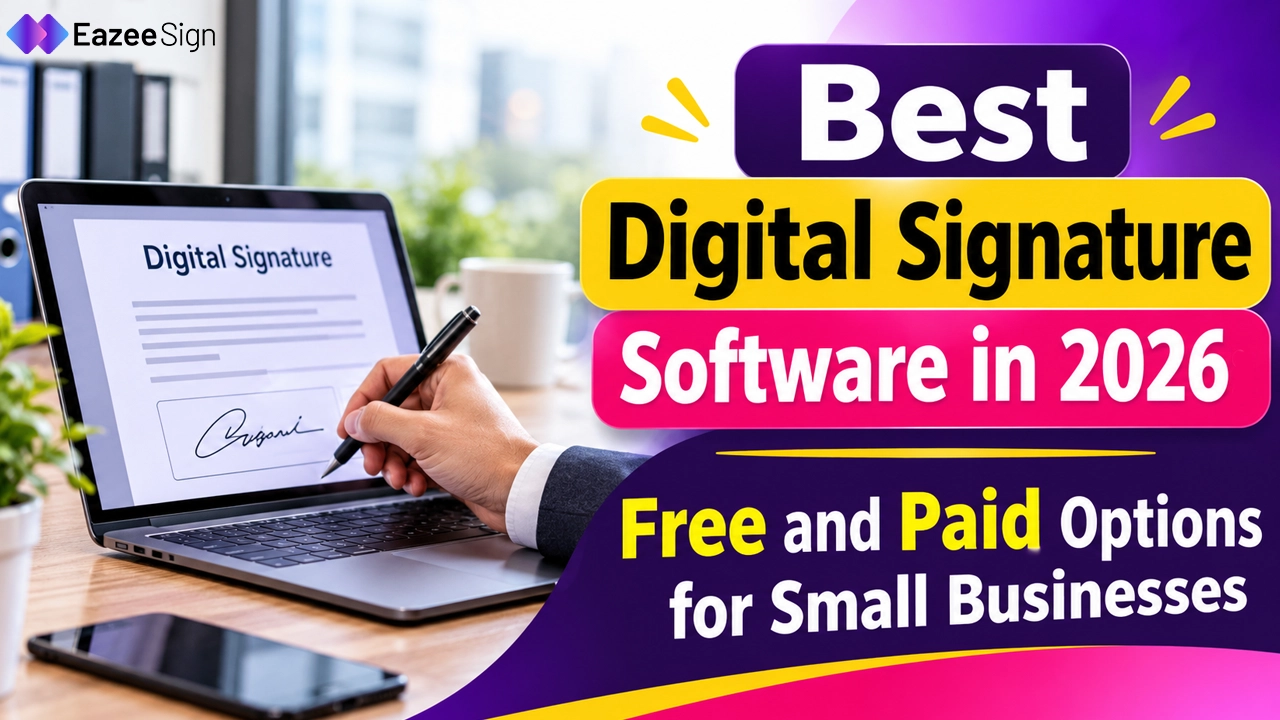
Paper contracts still slow down small businesses. Print, sign, scan, email back, repeat. One vendor agreement can sit for three days when a single signer is travelling. Digital signature software shrinks that wait to minutes and plenty of platforms now offer a free tier to start with.
Choosing is the hard part. Dozens of tools promise the same thing and the real limits hide on pricing pages. This guide explains what digital signature software does, what free plans include, whether a free download is even needed, and which tools suit small business needs in 2026.
What Digital Signature Software Is and How It Works
Digital signature software lets people sign, send and store agreements online. A document is uploaded, signature fields are placed, signers receive an email or link, and a completed copy returns with a record of who did what and when. That is the everyday version, and most small teams never need more.
Strictly speaking, two terms are in play. An electronic signature is the broad category: a typed name, a drawn mark, or a click on an accept button, tied to the intent to sign. A digital signature is narrower. It uses certificate based encryption to lock the document and prove nothing changed after signing. Many products offer both, and search results use the terms interchangeably, which is why shoppers often land on the same tools either way.
For routine paperwork, eSignature online through a browser is enough. Regulated filings or tenders that demand a certificate backed signature call for a platform that supports that level.
Digital Signature Software Free: What Free Plans Actually Include
Free plans exist, and a few are genuinely useful. They are also built to nudge users toward a paid tier, so the limits deserve a close read.
Typical caps on eSignature free plans:
- A small monthly allowance of documents, often three to five
- Basic templates only, or none at all
- No custom branding, so the vendor’s logo appears on every request
- Limited reminders and no automation
- Integrations, bulk sending and advanced audit options locked behind payment
Public listings in mid 2026 show the pattern. PandaDoc’s free plan allows five documents a month. Dropbox Sign allows threeSignature requests a month. Docusign’s entry level offering works more like a trial than a lasting free plan — its Personal paid plan is capped at five envelopes a month. Zoho Sign also runs a free tier, though limits differ from plan to plan.
Digital signature software free tiers suit freelancers, solo founders and anyone signing a handful of documents monthly. A business sending ten or more agreements a month will outgrow them fast.
One point worth stating plainly: a free tool is not less legally valid than a paid one. Validity depends on consent, intent and the record kept, not the price tag. Audit trail depth and storage, however, often improve on paid plans.
Digital Signature Software Free Download: Desktop, Mobile App or Online?
Searches for digital signature software free download usually come from one of three needs.
The first is a mobile app. Most major platforms offer free apps on Android and iOS, and the app itself costs nothing. What counts against the free plan is the document limit, not the install.
The second is a desktop tool. Some PDF editors include a basic signing feature, which works for signing one’s own documents. Sending a file to someone else and collecting their signature, with a proper audit trail, generally needs a cloud platform.
The third is a certificate based signature, the kind used on tax or government portals. That setup typically involves a certificate from an approved provider, sometimes stored on a USB token, plus a small utility on the computer. Software alone does not produce it — a certificate provider does.
Browser based tools need no installation at all, which is why most small businesses end up there. Updates happen automatically, signers open a link and sign, and nothing sits on a local machine that could be lost or stolen.
A caution on downloads: installers from random websites promising free signing software are a classic route for malware. Official app stores and vendor sites are the safe sources.
Key Features to Look for in the Best Digital Signature Software
Feature lists look identical across vendors. A handful of details separate useful tools from frustrating ones.
- Audit trail and completion certificate: Every signature should come with a record of who opened and signed a document, when, and from which email or device. This record matters most if an agreement is ever disputed.
- Templates: Repeat documents like NDAs, offer letters and service agreements should not need fresh field placement each time. Reusable templates save more time than almost any other feature.
- Signing order and reminders: Sequential signing keeps approvals in the right order. Automatic reminders cut the chasing.
- Sending limits: This one catches buyers out — a cheap plan with a hard cap is not cheap for a busy team. Docusign’s standard plans are listed at 100 envelopes per user per year, and signNow’s at 100 signature invites per user per year. Dropbox Sign and PandaDoc advertise no caps on paid plans.
- Security: Encryption in transit and at rest, two factor sign in and clear data storage policies form the baseline.
- Mobile signing: Signers often open a request on a phone. A clumsy mobile experience delays closing.
- Integrations: Connections to storage, CRM or accounting tools matter once volume grows, though small teams can start without them.
- Support: Slow replies hurt when a contract is waiting and a client is watching.
Price alone says little. A tool at $8 per user with a tight cap can cost more in practice than one at $15 with none.
Best Digital Signature Software Reviewed: 15 Tools Worth Considering
All 15 tools were compared on publicly listed features, limits and pricing as of November 2026. Prices are in US dollars on annual billing unless stated. Vendors change plans often, so a final look at each pricing page is sensible.
1. EazeeSign
EazeeSign is an AI powered eSignature platform from India, priced in rupees for Indian teams. Documents are uploaded or drafted from a short prompt, checked, sent to signers and tracked until the last signature lands. Signers confirm identity with a one time passcode, and every action is recorded in an audit trail.
The AI tools set it apart from most names on this list. They summarise long contracts, flag risky or one sided clauses, pull out key terms, compare two versions and placeSignature fields automatically. Multi party signing, signing order, reminders, templates, bulk sending, folders, two factor authentication and iOS and Android apps are listed too. The site also lists SOC 2 and ISO 27001 security.
Pricing starts with a 7 day free trial for one user, up to 5 documents and no credit card. Standard begins at ₹350 per user a month on yearly billing and adds bulk sending, signing links and real time comments. Business Pro, at ₹650 on yearly billing, adds unlimited templates, reports, custom branding and multi language support. Larger teams can ask about Enhanced plans, which add SSO, team workspaces and full API access.
Best for: Indian small and mid sized businesses that want AI contract checks alongside signing.
2. Docusign
Docusign is the name most clients already recognise, which counts when a counterparty insists on it. Compliance coverage and integrations are its strengths, with more than 1,000 connections through the App Center. Personal starts around $10 a month with 5 envelopes a month. Standard is about $25 per user a month, capped at 100 envelopes per user a year. There is no built in document editor, so files arrive finished.
Best for: larger teams and regulated businesses with enterprise clients.
3. PandaDoc
PandaDoc combines a document editor with signing, so proposals, quotes and contracts are built and signed in one place. Paid plans include unlimited sending. The free plan allows five documents a month, and Essentials starts around $19 per user a month. The editor takes time to learn. Teams that only need a signature on a finished PDF may find it more than required.
Best for: sales led teams that create documents and sign them together.
4. Dropbox Sign
Dropbox Sign keeps things simple: upload, place fields, send. A free plan allows threeSignature requests a month, with unlimited self signing. Essentials runs about $15 a month for one user with unlimited requests, but only five templates. Standard is listed at $25 per user a month with a two user minimum and 15 templates. Teams already on Dropbox can send straight from storage.
Best for: unlimited, no fuss signing for one person or a small team.
5. signNow
signNow targets tight budgets. Annual plans start around $8 per user a month, and the mobile app gets good marks for signing on the move. Standard plans carry 100 signature invites per user a year, with overages billed separately. No native document editor exists, so documents are finished elsewhere. A site licence charges per invite instead of per seat, which suits larger teams.
Best for: small teams with modest sending volume.
6. Adobe Acrobat Sign
Adobe Acrobat Sign suits teams whose documents already live as PDFs. Editing, redaction and signing share one environment, and Microsoft 365 users get familiar connections. Pricing begins around $17 a month. Team plans are capped at 150 transactions per user a year, and most integrations beyond Microsoft sit on enterprise tiers.
Best for: PDF heavy workflows and Microsoft centred offices.
7. Zoho Sign
Zoho Sign makes the most sense for teams already using Zoho CRM, Writer or WorkDrive, sinceSignature requests connect with records stored there. A free plan covers one user and five envelopes a month. Standard costs $10 per user a month with 25 envelopes per user, Professional costs $16 with unlimited envelopes, and Enterprise costs $22. Audit trails come on every plan, including free. Branding and customisation start at Professional.
Outside the Zoho family, the advantage shrinks. A standalone tool may fit better for teams with no other Zoho apps.
Best for: teams already inside the Zoho ecosystem.
8. Signeasy
Signeasy leans on a clean interface and a smooth mobile app. Personal costs $10 a month for one seat, with fiveSignature requests a month. Business is $20 per user a month and Business Pro $30, both with unlimited requests. A 14 day trial and a 100 day money back guarantee on yearly plans are listed. No native document creation exists, so files are finished elsewhere.
Best for: individuals and small teams that want a simple, mobile friendly tool.
9. Xodo Sign
Xodo Sign, formerly eversign, aims at low cost team signing. Paid plans start around $10 per user a month with unlimited sending, and a small free plan exists. Branding can switch between several businesses, which is rare at this price. Integrations are thin, mostly storage apps, and Zapier is the main route to anything else.
Best for: small teams that want low cost, unlimited sending.
10. Foxit eSign
Foxit eSign bundles PDF editing, redaction and form creation into its signing plans. Essentials costs about $10 a month, or $120 a year, with 250 envelopes a year. That is a hard cap, so sending stops when the limit is reached. The Business plan starts near $300 a year with a five user minimum.
Best for: individuals and small teams that want PDF editing included.
11. SignRequest
SignRequest started in Europe and keeps pricing low. Professional begins around $9 per user a month with unlimited sending, attachments, bundled documents and custom branding. The interface is minimal, which some will like and others will find thin. About nine integrations are listed, and document management is basic.
Best for: freelancers and small European teams on a tight budget.
12. OneSpan Sign
OneSpan Sign is built for regulated industries. Identity checks go well beyond the norm, including biometric comparison, government ID validation and smart card authentication. Full white labelling removes OneSpan branding from the signing experience. Professional starts around $22 per user a month, with a 30 day trial. It does signing and little else, with no storage or document creation.
Best for: banks, insurers and government teams with strict identity rules.
13. Youtrust
Youtrust, known as Yousign until 2026, is a French provider with a strong European compliance record. The free plan allows two signature requests a month, with unlimited self signing. One costs €9 a month for 10 requests. Plus is €23 per user a month and Pro €38, both with unlimited simpleSignatures, billed annually and excluding VAT. Advanced and Qualified signatures are paid add ons.
Best for: businesses dealing with EU customers that need qualified signature options.
14. SignWell
SignWell keeps pricing plain. A free plan covers one sender, three documents a month and one template. Light is $10 a month for one sender with unlimited documents and five templates. Business is $30 a month and includes three senders, with extra senders billed separately. An API with 25 free documents a month is available.
Best for: freelancers and small teams that want flat, predictable pricing.
15. BoldSign
BoldSign, built by Syncfusion, leans toward developers while staying usable for small teams. The free Essential plan allows 25 envelopes a month for one user. Growth starts at $5 per user a month. Business is listed at $15 per user a month with unlimited envelopes and templates, plus SSO and custom roles. A free API sandbox is available.
Best for: teams that want low per user pricing and an API.
Best eSignature Software for Small Business: Which Tool Fits Which Need
No single winner exists. The right pick depends on volume, budget and the kind of documents involved. A quick match:
- Tightest budget: signNow annual plans, or a free tier for light use
- High sending volume: PandaDoc or Dropbox Sign paid plans, which advertise no envelope caps
- Proposals and quotes: PandaDoc, since the editor and signing sit together
- PDF heavy offices: Adobe Acrobat Sign
- Existing Zoho users: Zoho Sign
- Indian business workflows: EazeeSign
- Enterprise clients who insist on a specific vendor: Docusign
The best eSignature software for small business is usually the one that fits actual document volume, not the one with the longest feature list. A five person agency sending twenty contracts a month needs something very different from a solo consultant signing two. Growth matters as well. A tool that works today but hits a hard cap in six months only postpones the switch.
Digital Signature Software for Documents: Common Business Use Cases
eSignature for documents covers far more than sales contracts. Small businesses use it most often for:
- Offer letters, employment contracts and policy acknowledgements
- Vendor agreements and purchase orders
- NDAs signed before a first meeting
- Service agreements and quotes accepted by clients
- Rental and lease paperwork
- Internal approvals such as expense sign offs
Speed is the headline gain. A founder approving a vendor agreement from a phone at an airport closes the same day instead of next week. Records improve too, since every signed file lands in one searchable place with a trail attached — no more hunting through email threads for the final version.
Some documents still sit outside electronic signing in many jurisdictions, such as wills and certain property transfers. Legal advice settles any doubt for a specific document type.
How to Choose Digital Signature Software Before Paying
A free trial beats any review, this one included. A simple testing routine helps:
- Count the documents signed in a typical month, and the number of people who send them.
- Start with a free plan or trial and send one real agreement, not a dummy file.
- Ask the signer to open it on a phone and note any friction.
- Open the audit trail and completion certificate and check what they record.
- Check sending limits and renewal pricing — introductory rates often rise after the first year.
- Contact support with one question and see how fast the reply arrives.
Tools that pass those six checks rarely disappoint later. Tools that fail one usually fail it again at the worst moment.
Final Thoughts on Choosing Digital Signature Software
Digital signature software has moved from nice to have to routine for small businesses. Free plans make a low risk start possible, and the best digital signature software for any team depends on volume, budget and the documents involved. Start with a free tier, test with real paperwork, and move to a paid plan only when limits begin to hurt. Careful trial runs save more money than any discount.
FAQs
What is the best digital signature software for small businesses?
It depends on volume and budget. signNow suits tight budgets, PandaDoc suits proposals, Dropbox Sign suits simple unlimited signing, and EazeeSign suits Indian business workflows.
Is there digital signature software free to use?
Yes. PandaDoc lists five documents a month on its free plan, Dropbox Sign lists three requests, and Zoho Sign offers a limited free tier.
Can digital signature software be downloaded for free?
Mobile apps from major providers are free to install. Most platforms run in a browser, so no download is needed.
What is the difference between a digital signature and an eSignature?
An eSignature is any electronic mark showing intent to sign. A digital signature adds certificate based encryption to verify the signer and detect later changes.
Can documents be signed online without creating an account?
Usually yes. Signers can open an emailed link and sign, while the sender typically needs an account.
Are eSignatures legally valid?
In India, the Information Technology Act, 2000 recognises electronic signatures, though some documents, such as wills, are excluded. Legal advice can confirm the rules for a specific document.